> For the complete documentation index, see [llms.txt](https://docs.saros.xyz/llms.txt). Markdown versions of documentation pages are available by appending `.md` to page URLs; this page is available as [Markdown](https://docs.saros.xyz/kr/saros-amm/farm/add-liquidity.md).
# 유동성 추가하는 방법
## **1.** 지갑 설정
현재 사용자는 Saros Wallet, Coin98 Wallet, Phantom 등의 인기 지갑 앱을 사용하여 Saros에 연결할 수 있습니다.
스왑 기능을 사용하려면 멀티체인 또는 Solana 지갑을 다운로드 및 설정해야 합니다.
지갑 다운로드 및 설정 가이드([guide on Download and set up wallet](/kr/saros-amm/faqs/connect-the-wallet-to-saros.md))를 참고하시기 바랍니다.
#### 가스 수수료와 SPL 표준
Saros Finance는 **Solana 네트워크**에서 운영되므로 SPL 표준 토큰만 스왑할 수 있다는 점에 유의해야 합니다.
**SarosSwap**은 트랜잭션 수수료로 **SOL(SPL 표준)**을 사용합니다. 따라서 Saros에서 스왑을 진행하기 전에 SOL을 준비해야 합니다.
모든 것이 준비 되었습니다. 유동성을 추가해봅시다:
### Saros Finance에서 유동성 추가하기:
**Step 1**: Saros Finance에 접속하고 Coin98 지갑을 연결한 후, 우측 상단의 **Connect Wallet** 아이콘을 클릭하여 Coin98 Wallet을 연결합니다. Saros Finance는 Coin98 Wallet을 자동으로 감지하고 연결합니다.

**Step 2**: 마우스를 **Swap** 위에 올린 뒤, 드롭다운 메뉴에서 **Add Liquidity**를 클릭합니다.

**Step 3:** 토큰 페어를 선택하고 추가하고자 하는 유동성 수량을 입력한 뒤 → **Supply**를 클릭합니다.

**Step 4:** 정보를 꼼꼼히 확인한 후, 다시 한 번 **Supply**를 클릭합니다.

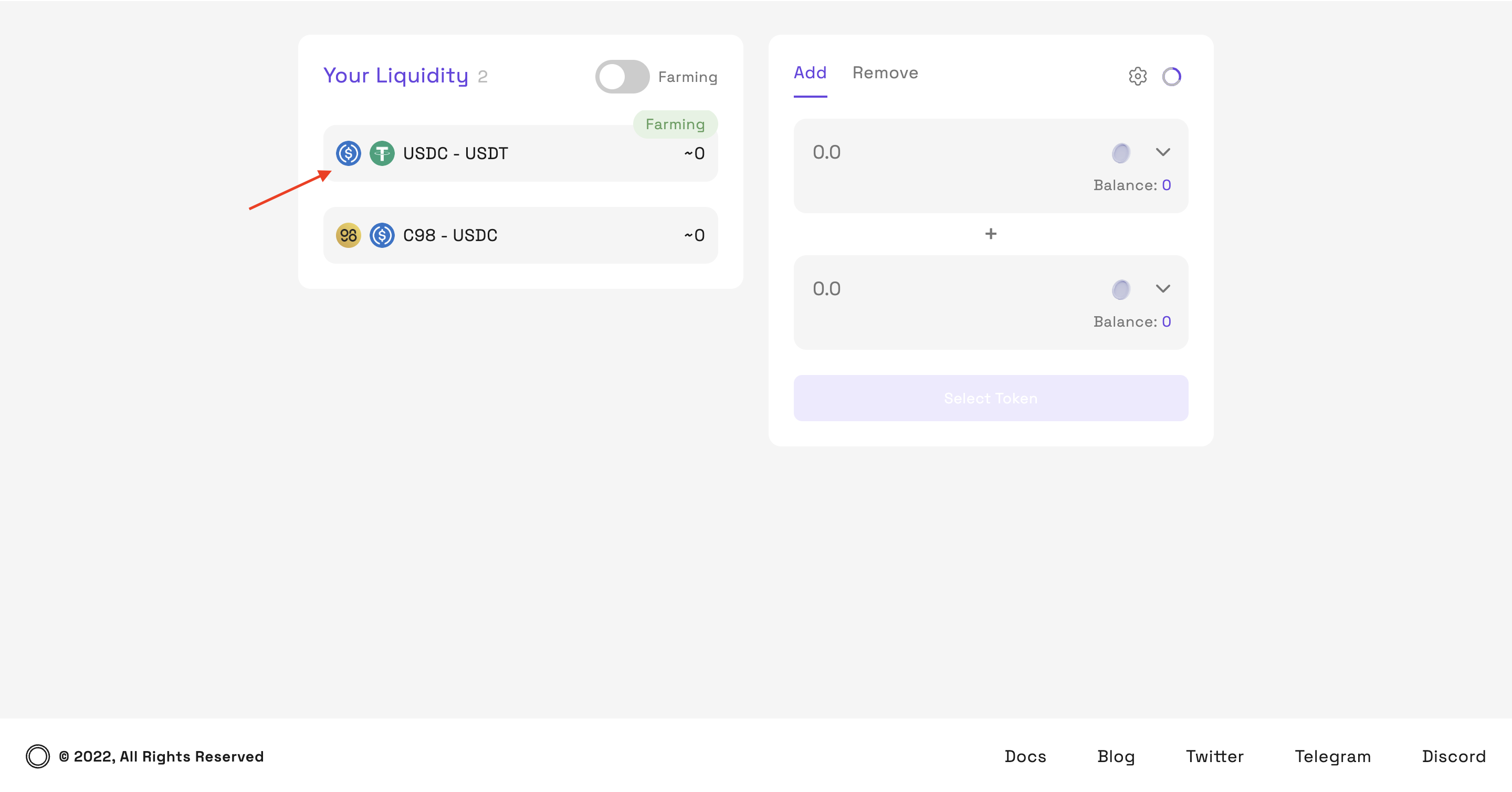
**Step 5:** 트랜잭션이 완료되면, Y**our Liquidity**에서 확인할 수 있습니다.

**Step 6:** 에 지갑 주소를 입력하여 트랜잭션을 확인할 수 있습니다.
{% hint style="info" %}
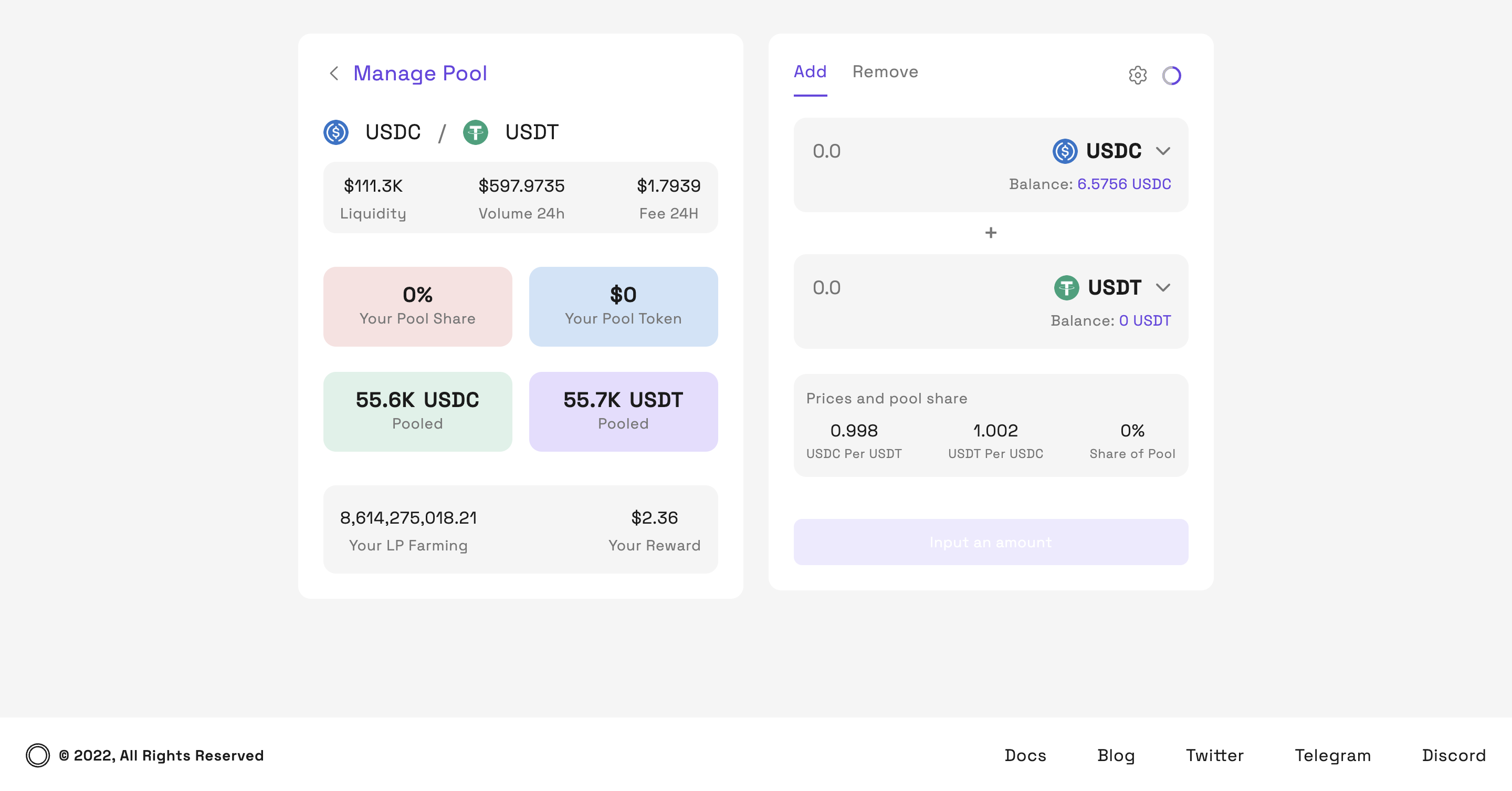
**참고:** 추가된 유동성을 확인하려면, Your Liquidity에서 원하는 풀을 클릭하세요. 해당 풀과 관련된 다양한 정보를 확인할 수 있습니다.
{% endhint %}
Click to the pool you want to check
* **Your Pool Share:** 풀 내 유동성 대비 본인의 자산 비율을 보여줍니다.
* **Your Pool Token:** 해당 풀에서 보유한 LP Token 값입니다.