> For the complete documentation index, see [llms.txt](https://docs.saros.xyz/llms.txt). Markdown versions of documentation pages are available by appending `.md` to page URLs; this page is available as [Markdown](https://docs.saros.xyz/kr/saros-dlmm/user-guides/create-a-pool.md).
# Saros DLMM에서 풀(Pool) 생성하기
Saros DLMM에서 유동성을 제공하기 위해서는, 해당 토큰 페어(거래쌍)에 대한 풀이 아직 존재하지 않는 경우 먼저 풀을 생성해야 합니다. 이 단계가 완료되어야 다른 사람들이 유동성을 추가하고 거래를 시작할 수 있습니다.
### 준비 (Preparation)
#### **솔라나 지갑(Solana Wallet) 설정하기**
현재 Saros DLMM은 Coin98 Super Wallet을 통해 연결할 수 있습니다.
스왑(Swap) 기능을 사용하려면 Multichain 또는 Solana 지갑을 다운로드 및 설정해야 합니다.
Coin98 Super Wallet 다운로드 및 설정에 대한 가이드는 [다음 문서](https://docs.coin98.com/products/coin98-super-wallet/extension/getting-started/how-to-create-or-import-a-multichain-wallet)를 참고하십시오.
#### **가스 수수료 및 SPL 표준 (Gas fee and SPL standard)**
Saros DLMM은 Solana 네트워크에서 운영되므로, SPL 표준을 따르는 토큰만 거래할 수 있습니다.
모든 트랜잭션 수수료는 SOL (SPL 토큰) 로 지불되므로, 거래를 시작하기 전에 충분한 SOL을 보유하고 있는지 반드시 확인해야 합니다.
## 풀(Pool) 생성 방법 (How to create a pool)
{% hint style="info" %}
*Note:* 선택한 토큰 페어에 대해 기존 풀이 존재하지 않을 경우에만 Saros DLMM에서 새로운 풀을 생성할 수 있습니다.
{% endhint %}
**Step 1:** 해 링크를 통해 Saros DLMM Swap에 접속합니다:[ https://dlmm.saros.xyz/pool](https://dlmm.saros.xyz/pool)
**Step 2:** 오른쪽 상단의 Connect Wallet 버튼을 클릭하고, 지갑(Coin98)을 선택하여 연결을 진행합니다.

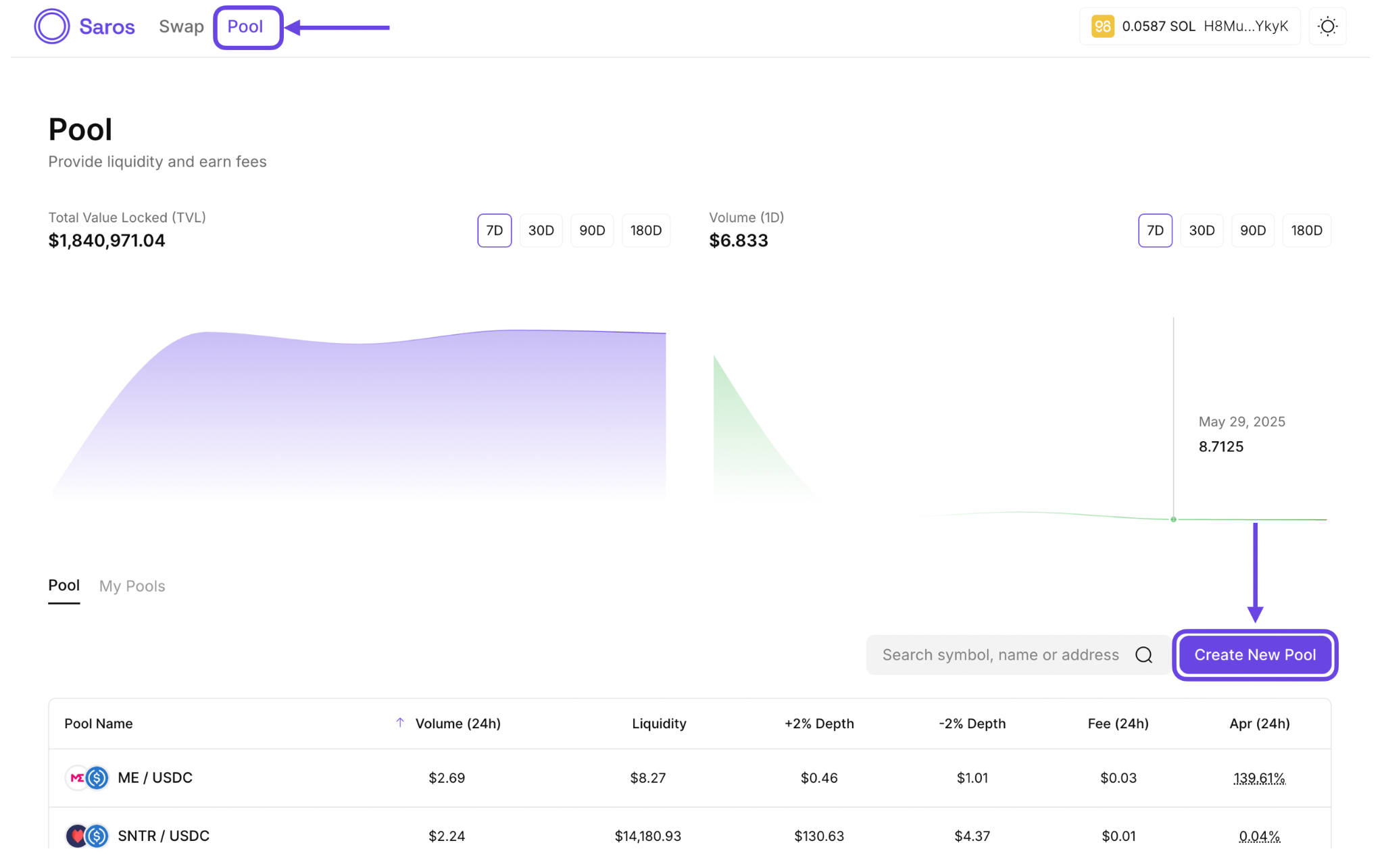
**Step 3:** Pool 탭으로 이동하여 Create New Pool을 클릭합니다.
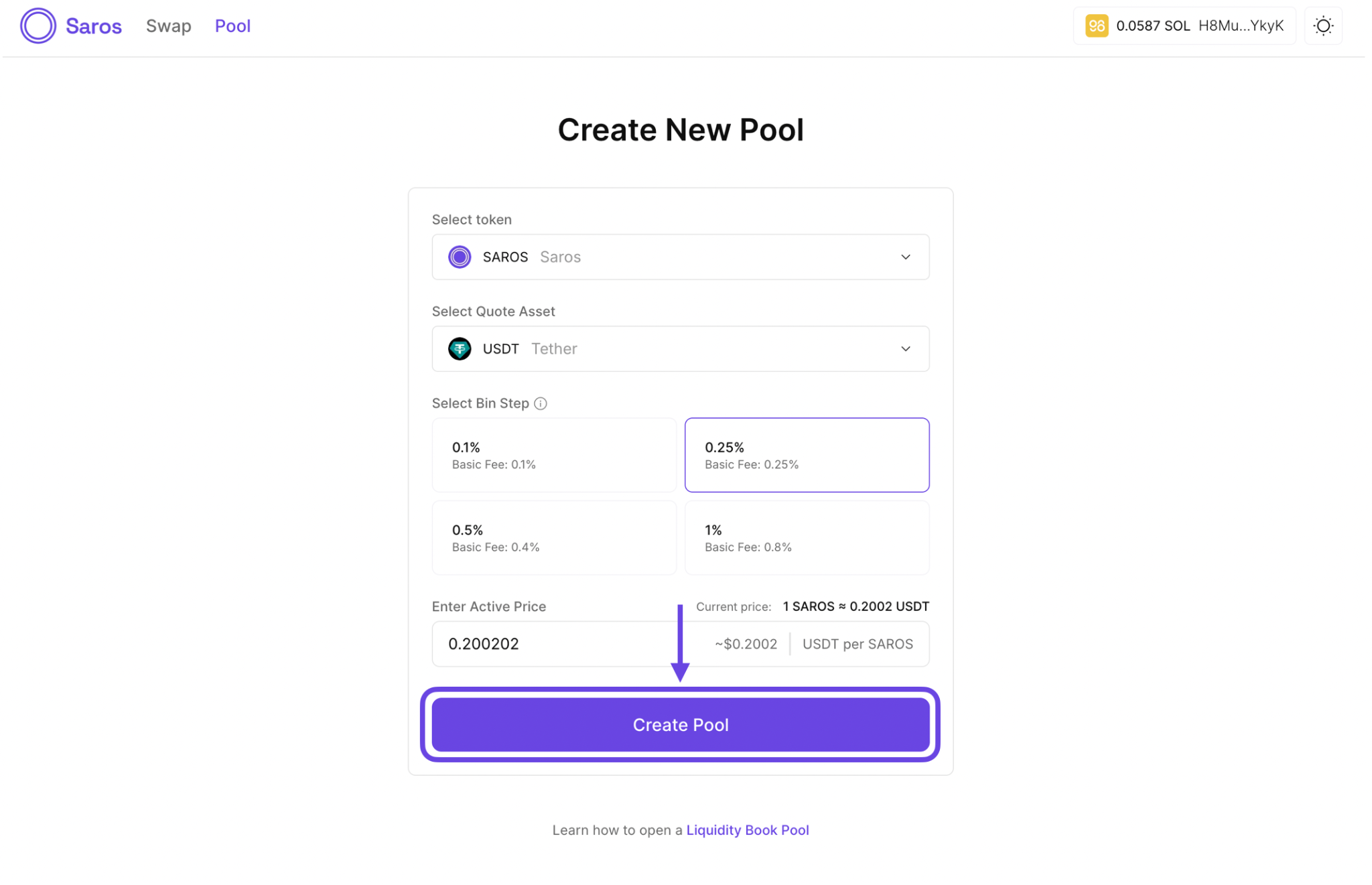
**Step 4:** 생성하려는 풀의 세부 정보를 입력합니다:
**- Select token pair:** 토큰과 기준 자산(quote asset)을 선택합니다.
**- Select bin steps:** Bin은 토큰과 유동성을 보관하는 풀 내부의 컨테이너입니다.Bin Step은 Bin 사이의 간격을 결정합니다. 사용 가능한 옵션: 0.1%, 0.25%, 0.5%, 1%
*예시:* Bin step이 1%이고 활성 Bin 가격이 $1일 경우, Bin들은 $1.00, $1.01, $1.02 … 와 같은 가격 수준에 위치하게 됩니다. 각 Bin은 해당 가격 수준에서 유동성을 보관합니다.작은 step은 더 촘촘한 가격대 형성을 제공하며, 큰 step은 더 넓은 범위의 가격대를 커버합니다.
**- Enter Active Price:** 활성 가격을 현재 시장 가격과 가깝게 설정해야 거래가 정확하고 효율적으로 이루어집니다. 만약 유동성 범위 내에서 거래가 발생하지 않으면 수수료를 얻지 못할 수 있습니다.
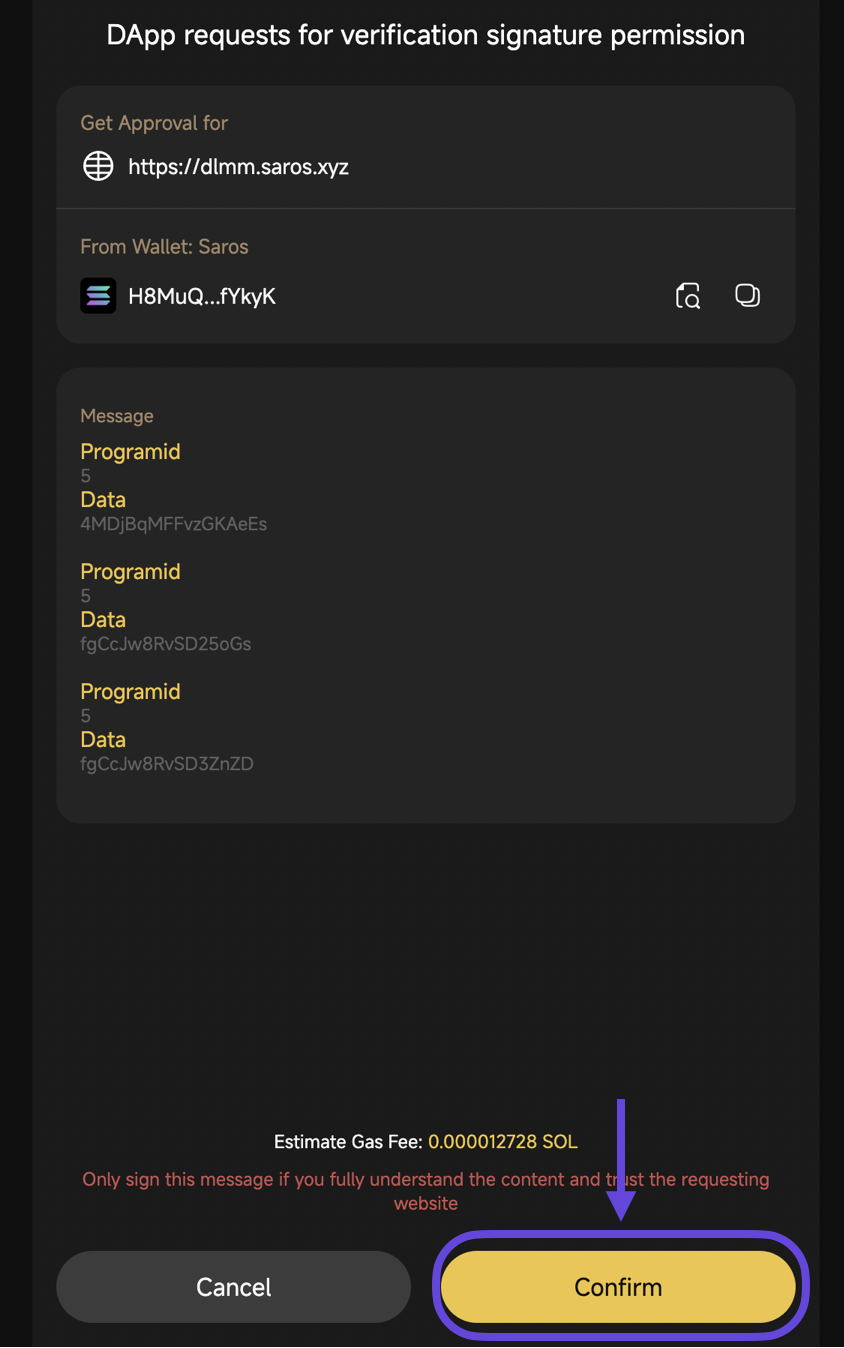
**Step 5:** Create Pool을 클릭하고 트랜잭션을 확인합니다.
After creating the pool, you can [add liquidity](/kr/saros-dlmm/user-guides/add-remove-liquidity.md) to it to start earning fees and enable trading.