> For the complete documentation index, see [llms.txt](https://docs.saros.xyz/llms.txt). Markdown versions of documentation pages are available by appending `.md` to page URLs; this page is available as [Markdown](https://docs.saros.xyz/kr/saros-mobile-app/extension/x.md).
# X에서 액션 사용
The “**Actions on X**” feature allows users to interact with the X platform directly from our app.
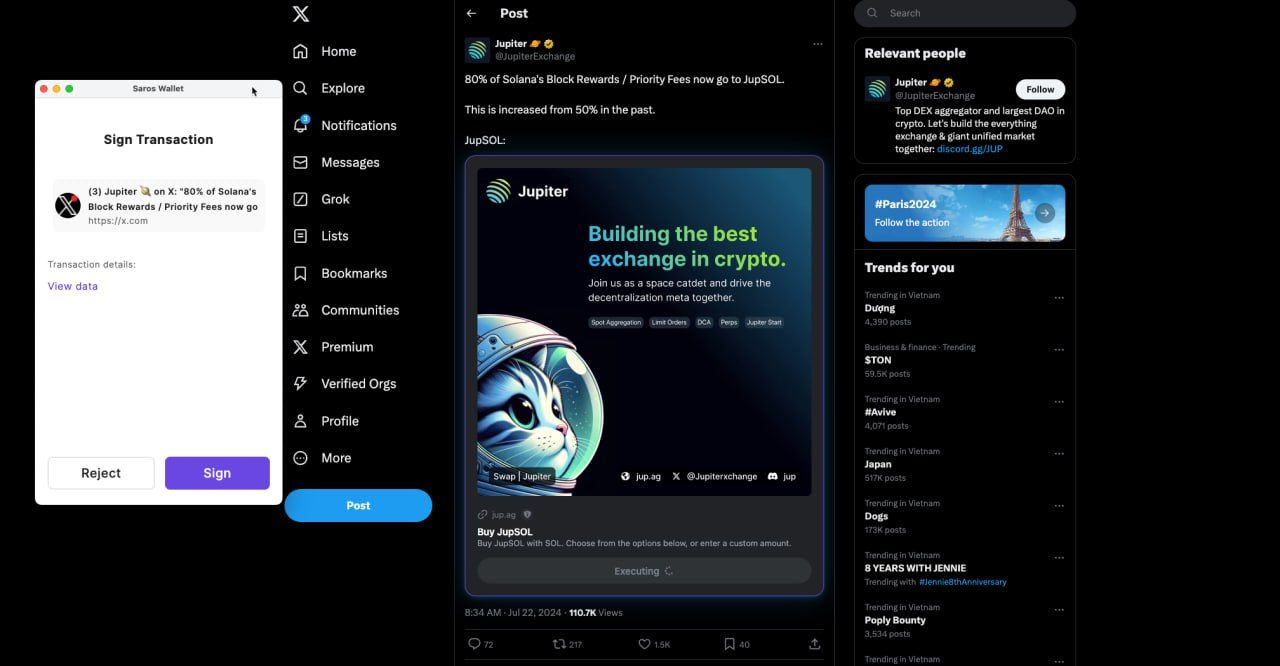
On X, when a DApp attaches their link, Saros Super App supports direct transactions without users going to the decentralized application.
***
### How to enable it?
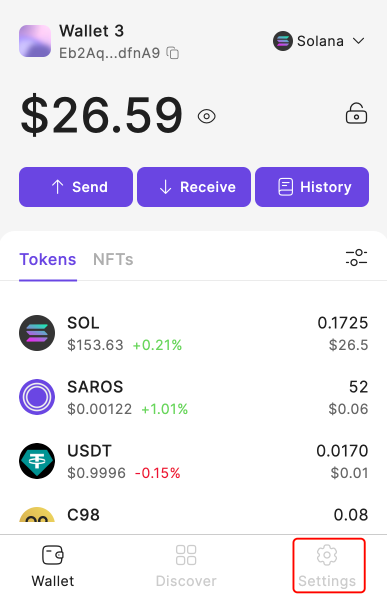
**Step 1:** Access to Saros Extension and choose the “**Settings**“ tab
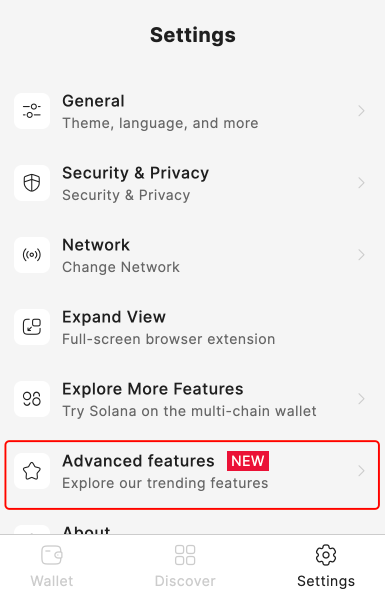
**Step 2:** Click the “**Advanced features**“ section
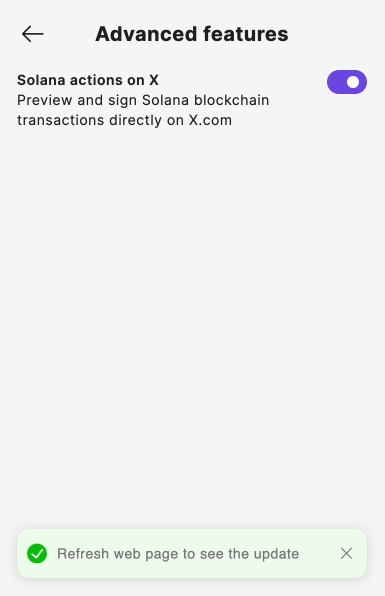
**Step 3:** Turn on/off to enable/disable this feature
***Notes:** After applying the change, please refresh your X page.*
Now when you interact with an article with a Solana DApp link, the Saros Extension will pop up a sign request. You can execute the transaction right from there.