> For the complete documentation index, see [llms.txt](https://docs.saros.xyz/llms.txt). Markdown versions of documentation pages are available by appending `.md` to page URLs; this page is available as [Markdown](https://docs.saros.xyz/kr/saros-mobile-app/mobile-app/nft.md).
# 여러 NFT를 한 주소로 전송하는 방법
Easily send multiple NFTs with Saros Super App. Follow the steps below to select and send your NFTs in just one action
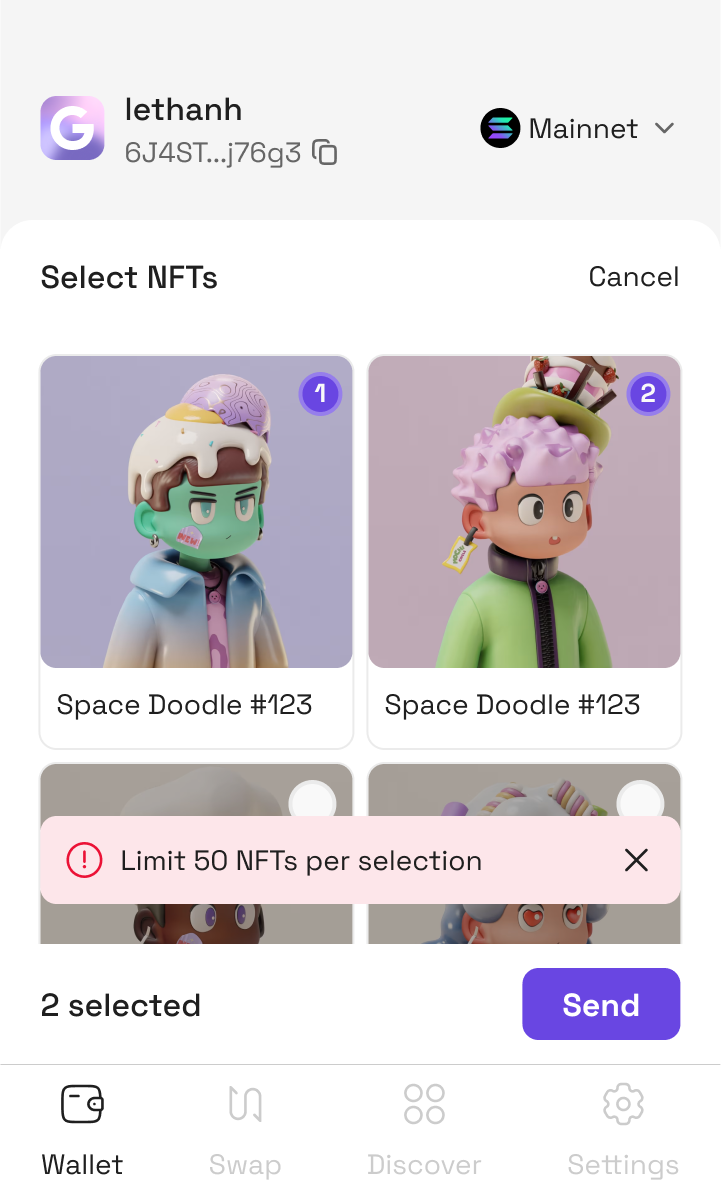
**Step 1:** Select NFTs
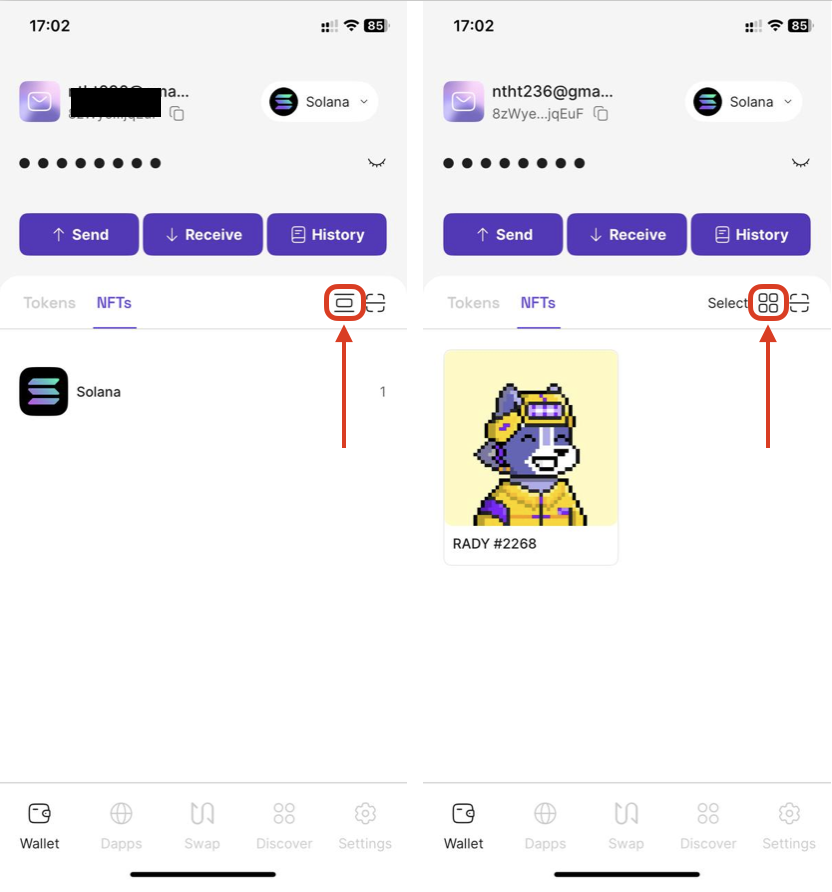
Depending on how you choose to display NFTs (List mode or Grid mode) - access NFT tab and click the **Switch** icon if you want to switch modes
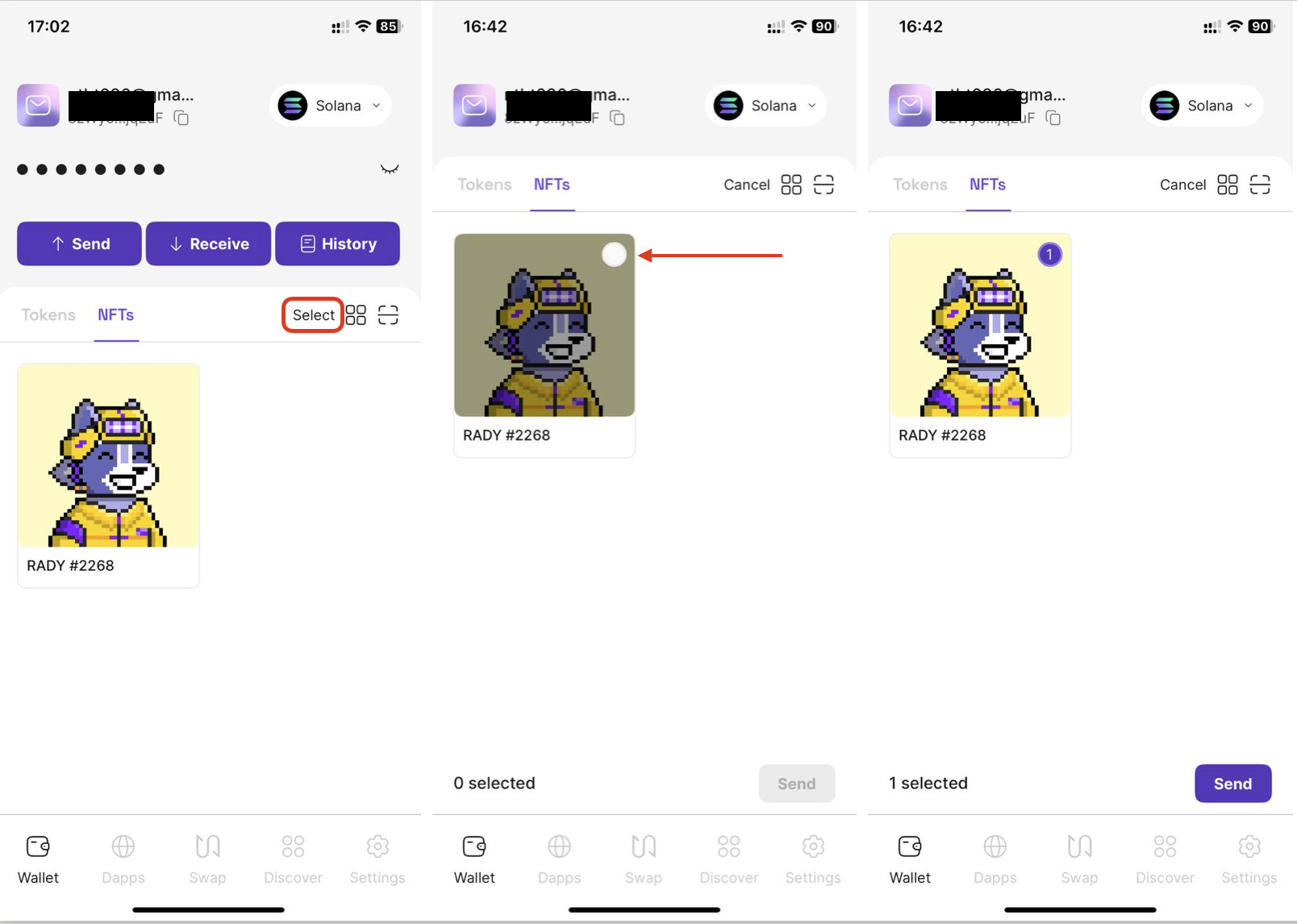
* **Mode 1: List Mode - Show Full NFTs of All Collections**
* On the navigation bar, tap **Select** to choose NFTs
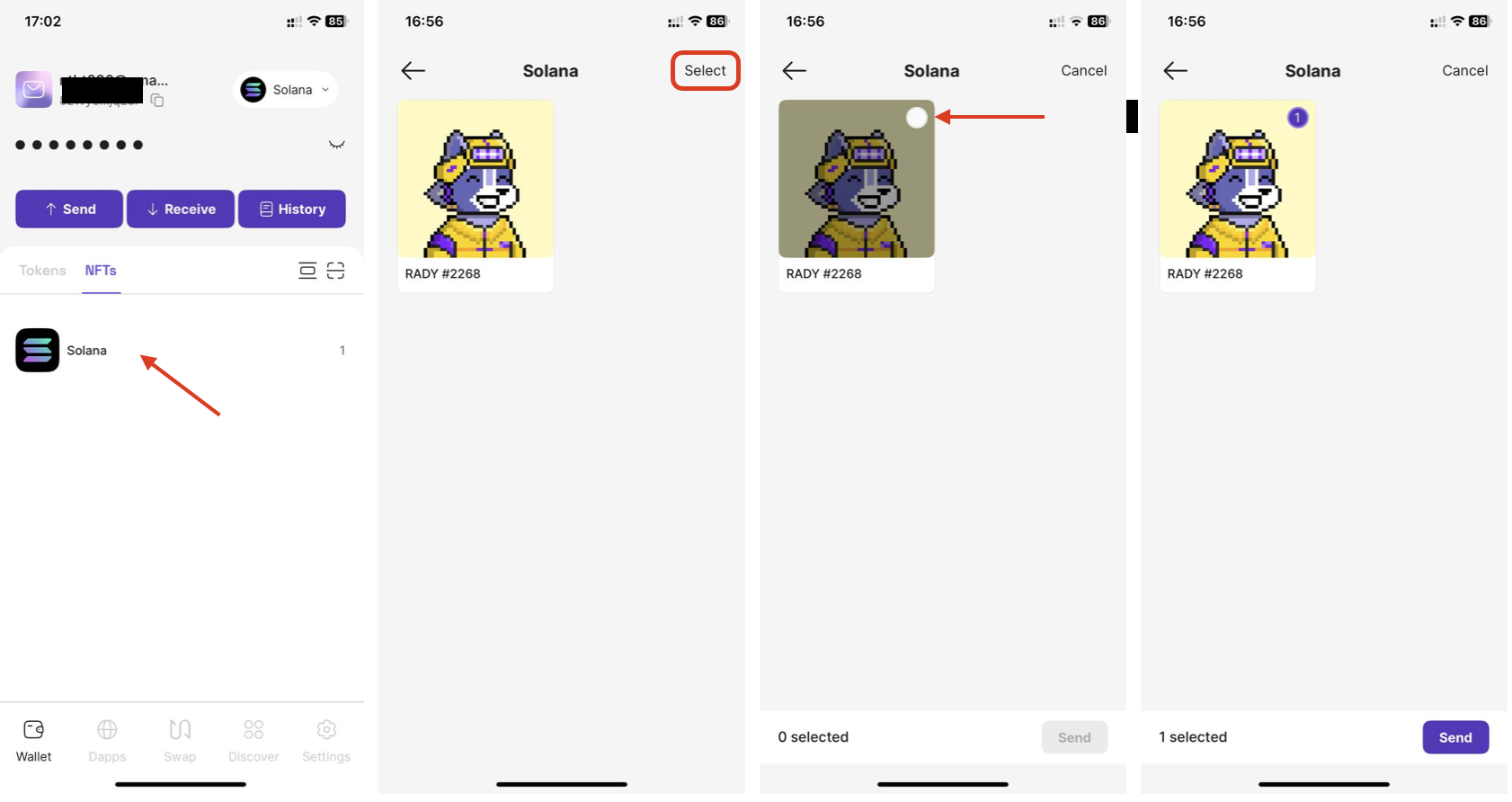
* **Mode 2: Grid Mode - Collection View**
* Tap a collection to view and select NFTs within it and click **Select** to choose NFTs
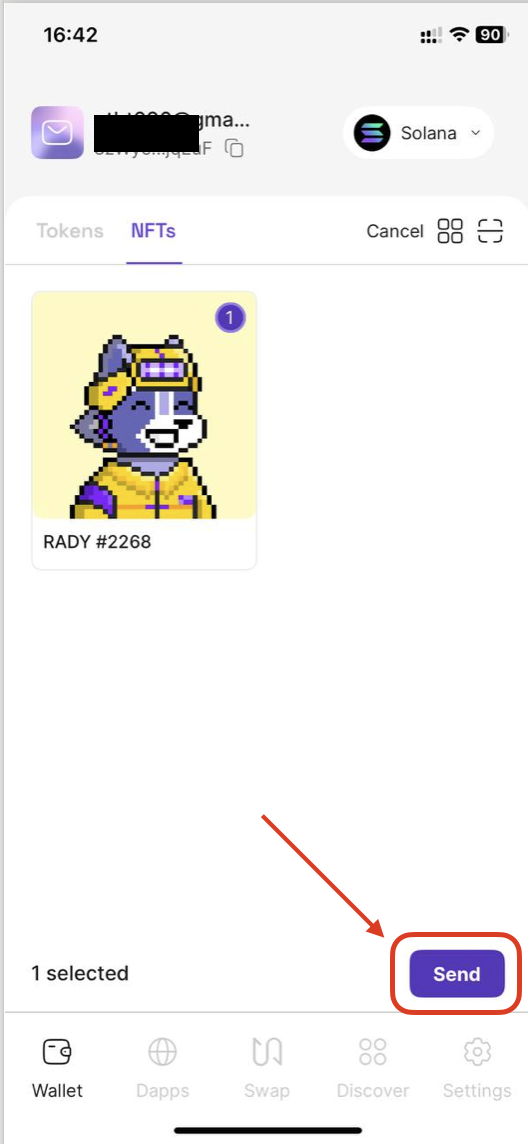
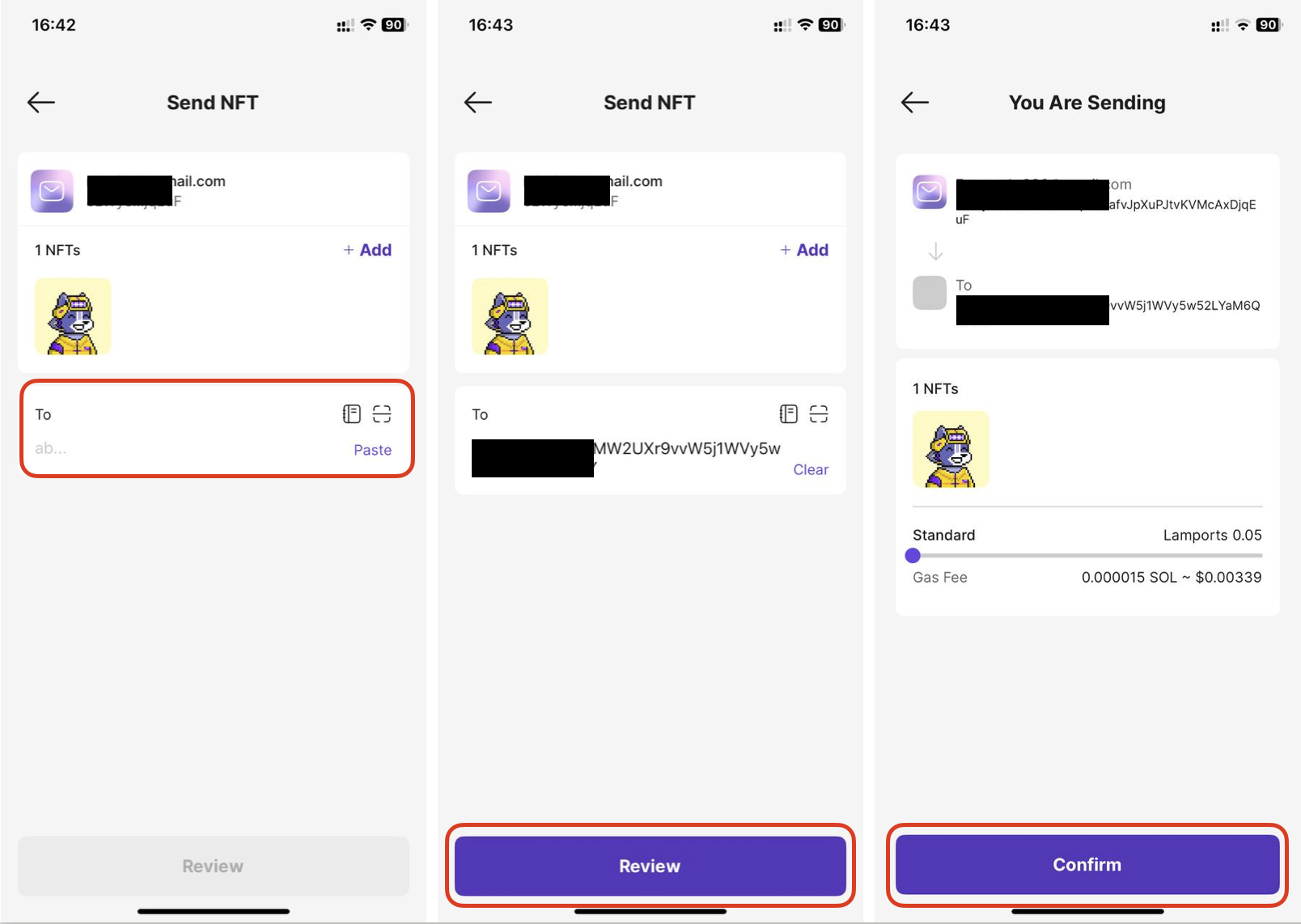
**Step 2:** Click **Send** button to navigate to address input screen with all selected NFTs
**Step 3:** Enter Recipient Address
* Input Recipient Addresses
* You can click on **contact** icon to select the wallet available in Saros *(Show only wallets other than sending wallet)*
* OR **Paste** button to paste the address that you have copied into the clipboard
* Click **Add** button to modify your NFT selection
Once you have filled in all the information, click **Review** button to review all your transaction information before submitting.
**Step 4:** Review your transaction information and customize your gas fee, then click **Confirm** button
{% hint style="info" %}
**Notes:**
* **Maximum NFTs:** Send up to **50 NFTs** per batch.
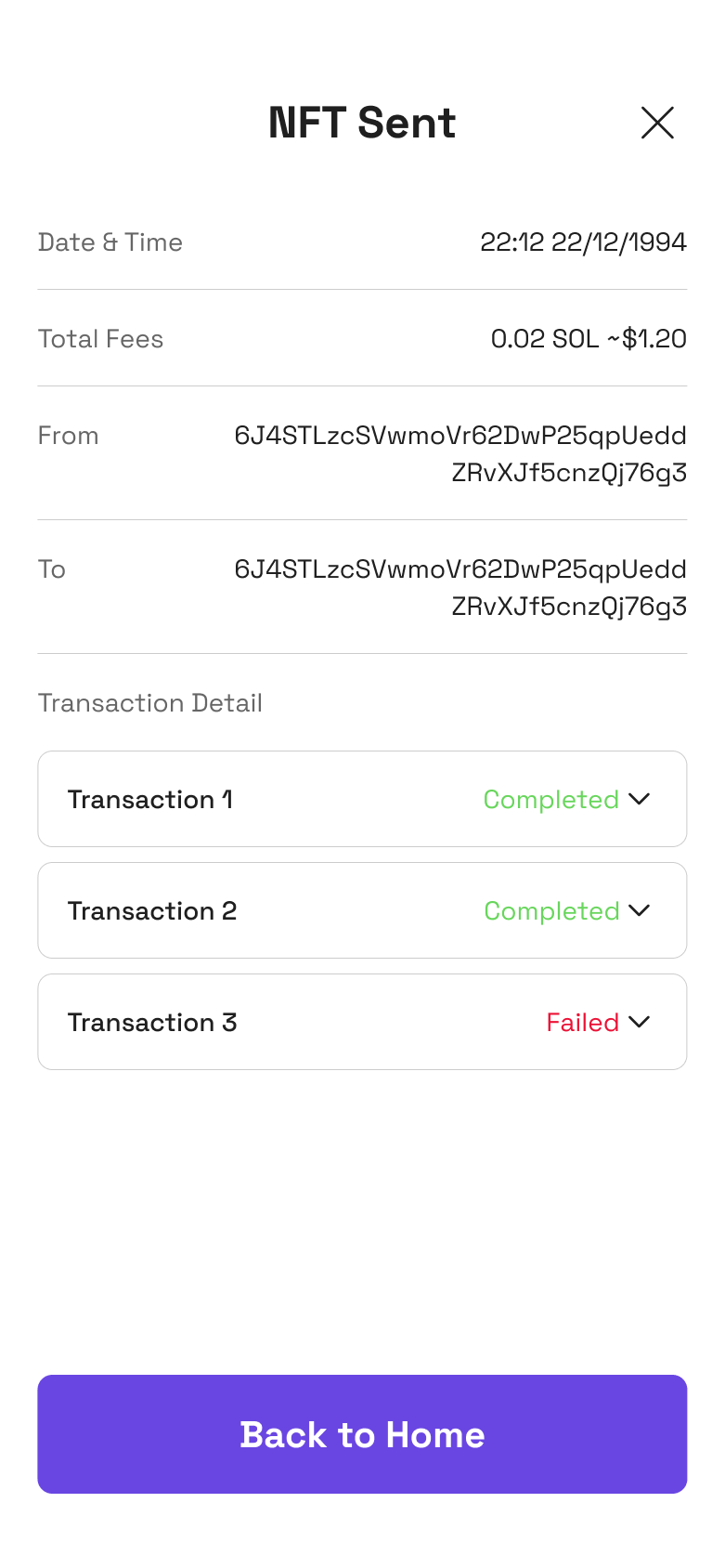
* **Transaction Split:** Every **3 NFTs** will generate a separate transaction automatically.
{% endhint %}